
Wildcard SSL Certificates: Secure All Subdomains at Once
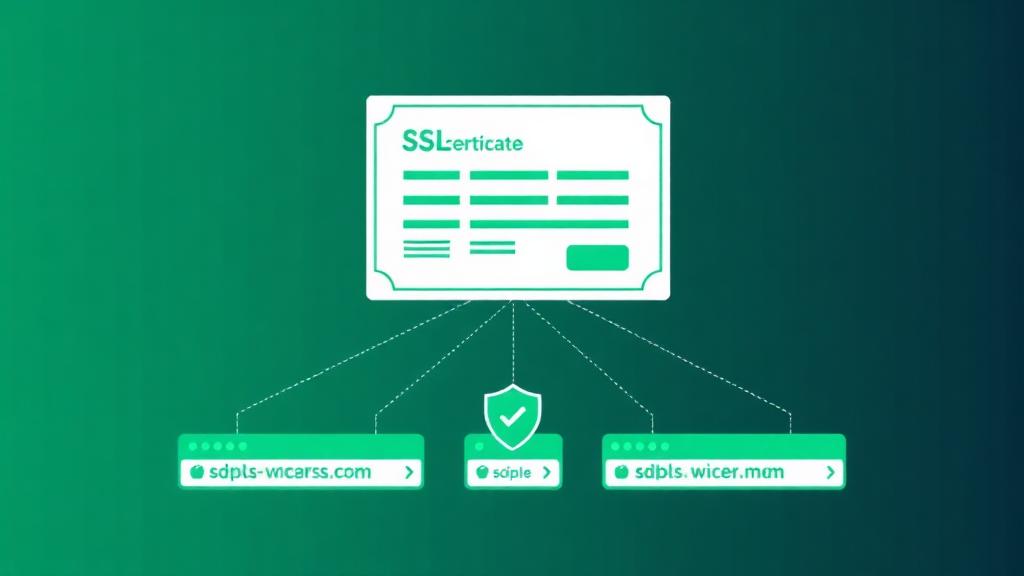
A single wildcard SSL certificate protects your root domain and every first-level subdomain, blog, shop, app, staging, and any future subdomains you create. This guide covers free vs paid options, DNS validation, installation, auto-renewal, and when a wildcard is (and isn't) the right choice.

Web hosting enthusiast who tests providers and breaks down features, pricing, and real world speed
Quick Summary
🔒 What It Covers
*.example.com
Root + all first-level subdomains. Not multi-level.
💰 Free Option
Let's Encrypt
Free wildcards via DNS-01 validation. 90-day renewal.
⚙️ Validation
DNS-01 Required
Must create a DNS TXT record. HTTP validation won't work.
What Is a Wildcard SSL Certificate?
A wildcard SSL certificate uses an asterisk (*) as a placeholder in the domain name to secure unlimited subdomains at a single level. Instead of buying separate certificates for www.example.com, blog.example.com, and shop.example.com, one wildcard certificate covers them all.
| Certificate For | Covers ✅ | Does NOT Cover ❌ |
|---|---|---|
| *.example.com | example.com, www.example.com, blog.example.com, shop.example.com, api.example.com, any.example.com | sub.blog.example.com, dev.api.example.com (multi-level subdomains) |
| *.blog.example.com | blog.example.com, staging.blog.example.com, dev.blog.example.com | example.com, www.example.com, shop.example.com |
| *.example.com + *.example.org (multi-domain wildcard) | All first-level subdomains of both example.com AND example.org | sub.sub.example.com (still no multi-level) |
How Wildcard Certificates Work
Certificate Authority validates domain ownership
You prove you control the domain via DNS-01 challenge, adding a specific TXT record to _acme-challenge.example.com. HTTP validation is NOT supported for wildcards because the CA must verify control over the entire domain, not just one subdomain.
CA issues certificate with wildcard SAN
The certificate's Subject Alternative Name (SAN) field contains *.example.com and example.com. This tells browsers that the certificate is valid for any subdomain matching that pattern.
Browser matches subdomain to wildcard pattern
When a user visits blog.example.com, the browser checks if blog matches the * pattern. Since * matches any single label, it's valid. But staging.blog.example.com has two labels (staging.blog), so * doesn't match, the connection would show a certificate error.
TLS handshake completes normally
The rest of the TLS handshake is identical to a standard certificate, key exchange, cipher negotiation, and encrypted connection. There's zero performance difference between wildcard and single-domain certificates.
Wildcard vs Standard vs SAN Certificates
| Feature | Single Domain | Wildcard | SAN / Multi-Domain | Multi-Domain Wildcard |
|---|---|---|---|---|
| Domains covered | 1 (e.g., example.com) | Unlimited subdomains of 1 domain | 2–250 specific domains | Unlimited subdomains of 2+ domains |
| Example | www.example.com only | *.example.com | example.com + example.org + shop.net | *.example.com + *.example.org |
| Free (Let's Encrypt) | ✅ Yes | ✅ Yes (DNS validation) | ✅ Yes (up to 100 SANs) | ❌ No (need commercial) |
| Commercial price/yr | $8–60 | $50–300 | $60–500 | $150–600 |
| Validation types | DV, OV, EV | DV, OV only (no EV) | DV, OV, EV | DV, OV only |
| Future subdomains | ❌ Need new cert | ✅ Automatic, no reissue needed | ❌ Must reissue to add domains | ✅ Automatic for subdomains |
| Best for | Single website | One domain with many subdomains | Multiple different domains | Enterprise multi-brand |
| Management overhead | Low (one domain) | Low (one cert, many subdomains) | Medium (must track all domains) | Low-Medium |
When You Need a Wildcard SSL
✅ Use a Wildcard When
❌ Skip the Wildcard When
Free vs Paid Wildcard Certificates
| Factor | Let's Encrypt (Free) | Commercial (Paid) |
|---|---|---|
| Cost | $0 | $50–600/year |
| Validity period | 90 days (auto-renew) | 1 year (398 days max) |
| Validation level | DV (Domain Validation) only | DV or OV (Organization Validation) |
| Warranty | None | $10K–$1.75M (CA-provided insurance) |
| Issuance speed | Instant (automated) | DV: minutes. OV: 1–3 business days |
| Encryption strength | Identical (RSA 2048/4096 or ECDSA P-256) | Identical |
| Browser trust | Trusted by all modern browsers | Trusted by all modern browsers |
| Support | Community forums only | 24/7 vendor support |
| Auto-renewal | ✅ With Certbot + DNS plugin | ⚠️ Manual renewal or vendor portal |
| Best for | Most websites, developers, startups | Enterprise, regulated industries, warranty needs |
Bottom line: For 95% of websites, Let's Encrypt wildcard certificates are the right choice. The encryption is identical to paid certificates. Only consider paid wildcards if you need OV validation (shows organization name), warranty coverage, or your compliance framework requires a commercial CA.
Certificate Providers Compared
| Provider | Wildcard Price/yr | Validation | Warranty | Best For |
|---|---|---|---|---|
| Let's Encrypt | Free | DV only | None | Everyone, default choice for most sites |
| Cloudflare (Universal SSL) | Free (with proxy) | DV only | None | Sites already using Cloudflare CDN/DNS |
| Namecheap (PositiveSSL) | $54/yr | DV | $10,000 | Budget commercial wildcard |
| DigiCert | $399/yr | DV, OV | $1,250,000 | Enterprise, high-assurance sites |
| Sectigo (Comodo) | $79/yr | DV, OV | $250,000 | Mid-range commercial option |
| GoDaddy | $295/yr | DV, OV | $1,000,000 | Existing GoDaddy customers |
| GlobalSign | $349/yr | DV, OV | $1,250,000 | Enterprise with compliance requirements |
| ZeroSSL | Free (3 certs) / $10/mo | DV | None | Let's Encrypt alternative with dashboard |
Free Wildcard via Let's Encrypt (Step-by-Step)
Step 1: Install Certbot
# Ubuntu/Debian
sudo apt update && sudo apt install certbot

# CentOS/RHEL
sudo yum install certbot

# macOS (for testing)
brew install certbot
Step 2: Request wildcard certificate (manual DNS)
sudo certbot certonly \
  --manual \
  --preferred-challenges dns \
  -d "*.example.com" \
  -d "example.com"

# Certbot will ask you to create a DNS TXT record:
# _acme-challenge.example.com → <random-value>
# Add the record in your DNS provider, wait 1-5 min, then press Enter
Step 3: Automated renewal with Cloudflare DNS plugin
# Install Cloudflare plugin
sudo apt install python3-certbot-dns-cloudflare

# Create credentials file
sudo nano /etc/letsencrypt/cloudflare.ini
# dns_cloudflare_api_token = YOUR_CF_API_TOKEN

sudo chmod 600 /etc/letsencrypt/cloudflare.ini

# Request with auto-renewal support
sudo certbot certonly \
  --dns-cloudflare \
  --dns-cloudflare-credentials /etc/letsencrypt/cloudflare.ini \
  -d "*.example.com" \
  -d "example.com"

# Auto-renewal runs via: sudo certbot renew (cron every 12h)
DNS plugins available for auto-renewal: Cloudflare, AWS Route 53, DigitalOcean, Google Cloud DNS, Linode, OVH, Namecheap (via acme.sh). Without a DNS plugin, you must manually add the TXT record every 90 days.
Installation Guide
| Server | Config Location | Key Directives | Reload Command |
|---|---|---|---|
| Nginx | /etc/nginx/sites-available/ | ssl_certificate /etc/letsencrypt/live/example.com/fullchain.pem; ssl_certificate_key .../privkey.pem; | sudo nginx -t && sudo systemctl reload nginx |
| Apache | /etc/apache2/sites-available/ | SSLCertificateFile .../fullchain.pem; SSLCertificateKeyFile .../privkey.pem; | sudo apachectl configtest && sudo systemctl reload apache2 |
| LiteSpeed | WebAdmin Console → Listeners | Upload cert + key via GUI or reference file paths | Graceful restart via WebAdmin |
| Caddy | Caddyfile | Automatic, Caddy obtains and renews wildcard certs natively with DNS challenge | sudo systemctl reload caddy |
| cPanel/WHM | WHM → SSL/TLS → Install | Upload cert, key, and CA bundle via GUI | Automatic (cPanel handles Apache/Nginx) |
| Plesk | Domains → SSL/TLS | Upload or use Let's Encrypt extension with DNS validation | Automatic |
DNS Validation Explained
Wildcard certificates require DNS-01 validation: you cannot use HTTP-01 (file-based) validation. This is because the CA must verify you control the entire domain, not just a single subdomain's web server.
| Validation Method | How It Works | Wildcard Support | Automation |
|---|---|---|---|
| DNS-01 (TXT record) | Add a TXT record at _acme-challenge.example.com with a token value | ✅ Required for wildcards | ✅ With DNS API plugins (Cloudflare, Route 53, etc.) |
| HTTP-01 (file-based) | Place a file at http://example.com/.well-known/acme-challenge/ | ❌ Not supported for wildcards | ✅ Easiest to automate for single-domain certs |
| TLS-ALPN-01 | Respond to TLS connection with a special certificate | ❌ Not supported for wildcards | ⚠️ Less common; used by Caddy |
| Email validation | Respond to email sent to admin@example.com | ✅ Commercial CAs only | ❌ Manual, must click link in email |
Auto-Renewal Setup
| DNS Provider | Certbot Plugin | Install Command | Auth Type |
|---|---|---|---|
| Cloudflare | certbot-dns-cloudflare | pip install certbot-dns-cloudflare | API Token (scoped to DNS edit) |
| AWS Route 53 | certbot-dns-route53 | pip install certbot-dns-route53 | IAM credentials (Route53 FullAccess) |
| DigitalOcean | certbot-dns-digitalocean | pip install certbot-dns-digitalocean | Personal Access Token |
| Google Cloud DNS | certbot-dns-google | pip install certbot-dns-google | Service Account JSON key |
| Linode | certbot-dns-linode | pip install certbot-dns-linode | Personal Access Token |
| Any (via acme.sh) | acme.sh (alternative client) | curl https://get.acme.sh | sh | Supports 100+ DNS APIs |
Multi-Level Subdomains
A common misconception: *.example.com does NOT cover staging.api.example.com. The asterisk only matches a single DNS label.
| Scenario | Solution | Example |
|---|---|---|
| First-level only (most common) | Single wildcard: *.example.com | www, blog, shop, api, staging, all covered |
| Two levels needed | Two wildcards: *.example.com + *.api.example.com | Covers api.example.com AND staging.api.example.com |
| Multi-tenant at second level | Wildcard per parent: *.app.example.com | user1.app.example.com, user2.app.example.com |
| Multiple unrelated domains | SAN certificate or separate wildcards | *.example.com + *.example.org as separate certs or one SAN wildcard |
Security Risks & Mitigations
| Risk | Why It Matters | Mitigation |
|---|---|---|
| Shared private key across servers | Compromise on one server exposes all subdomains | Use separate certs for critical services (payment, admin). Strict key file permissions (chmod 600) |
| Broader blast radius on key leak | All subdomains must be revoked and reissued at once | Monitor Certificate Transparency logs for unauthorized issuance. Set up key rotation procedures |
| Subdomain takeover attacks | Attacker claims abandoned subdomain → valid cert already covers it | Audit DNS records monthly. Remove CNAME/A records for decommissioned subdomains |
| No EV validation available | Cannot display organization name in certificate details | Use OV wildcard if organization validation is needed. EV requires individual certs |
| Certificate Transparency exposure | All subdomains visible in public CT logs (discoverable by attackers) | Use non-guessable subdomain names for internal services. Use private CAs for internal-only services |
Hosting Provider Wildcard SSL Support
| Provider | Free Wildcard | Custom Wildcard Upload | Auto-Renewal | Notes |
|---|---|---|---|---|
| Cloudflare | ✅ Universal SSL (proxy mode) | ✅ Yes | ✅ Automatic | Easiest option, enable proxy and wildcard SSL is automatic |
| Kinsta | ✅ Free Cloudflare wildcard | ✅ Yes | ✅ Automatic | Powered by Cloudflare integration; covers all subdomains |
| Cloudways | ✅ Let's Encrypt (single) | ✅ Custom wildcard upload | ⚠️ Manual for wildcard | Free LE is single-domain; upload your own wildcard cert |
| SiteGround | ✅ Let's Encrypt wildcard | ✅ Yes | ✅ Automatic | Wildcard available through Site Tools → Security → SSL |
| WP Engine | ✅ Free SSL per domain | ✅ Custom wildcard upload | ✅ Automatic | Free SSL covers www + root; upload wildcard for subdomains |
| DigitalOcean | ❌ No built-in SSL | ✅ Yes (on Droplets) | ✅ With Certbot cron | Use Certbot + DNS plugin on your Droplet |
| cPanel hosts | ⚠️ Depends on host | ✅ Via WHM | ⚠️ Varies | AutoSSL may support wildcards; or install manually via WHM |
Implementation Checklist
| Phase | Action | Notes |
|---|---|---|
| Plan | Inventory all current and planned subdomains | List every subdomain that needs HTTPS, decide wildcard vs individual certs |
| Plan | Choose certificate provider (Let's Encrypt or commercial) | Let's Encrypt for 95% of cases; commercial for OV/warranty needs |
| Plan | Verify DNS provider supports API access for auto-renewal | Cloudflare, Route 53, DigitalOcean DNS all support Certbot plugins |
| Issue | Install Certbot + DNS plugin on your server | Or use acme.sh for broader DNS provider support |
| Issue | Request wildcard cert with DNS-01 validation | Include both *.example.com AND example.com in the certificate |
| Issue | Verify certificate covers root + subdomains | openssl s_client -connect example.com:443 | openssl x509 -noout -text |
| Deploy | Configure web server (Nginx/Apache) with cert paths | Test config before reloading: nginx -t or apachectl configtest |
| Deploy | Force HTTPS redirect (301) for all HTTP traffic | Redirect http:// → https:// in server config, not at application level |
| Deploy | Enable HSTS header | Strict-Transport-Security: max-age=31536000; includeSubDomains; preload |
| Monitor | Set up auto-renewal cron job (certbot renew) | Cron every 12 hours; Certbot only renews when < 30 days remaining |
| Monitor | Set up expiration alerts | Use uptimerobot.com or cert-monitor tools to alert 14 days before expiry |
| Monitor | Monitor Certificate Transparency logs | crt.sh or Facebook CT Monitor for unauthorized certificate issuance |
Frequently Asked Questions
Does a wildcard SSL certificate cover the root domain?
Can I get a free wildcard SSL certificate?
What's the difference between a wildcard and a SAN certificate?
Do wildcard SSL certificates affect SEO?
How long does a wildcard SSL certificate last?
Can I use a wildcard SSL on multiple servers?
Is a wildcard SSL certificate less secure than individual certificates?
Do wildcard certificates support HTTP/2 and HTTP/3?
Need Hosting with Free Wildcard SSL?
Find a hosting provider that includes free wildcard SSL certificates with automatic renewal, so you never worry about certificate management again.
Find SSL-Friendly Hosting