

⚡ Quick Decision: Should You Go Serverless?
Go Serverless If:
- • Traffic is unpredictable or spiky
- • You're building APIs or microservices
- • You want $0 cost when idle
- • Your team is small (no DevOps)
- • You're building JAMstack/static sites
Stay Traditional If:
- • You need WebSockets or long connections
- • Running WordPress, Magento, or legacy apps
- • Heavy computation (>15 min tasks)
- • You need a writable filesystem
- • Costs must be 100% predictable
What Is Serverless Hosting?
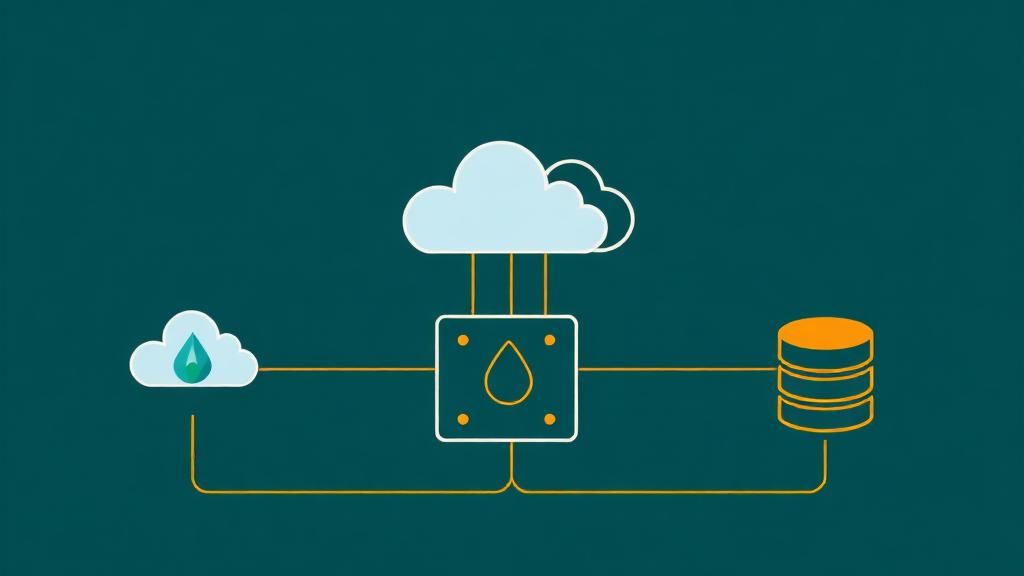
Serverless hosting is a cloud execution model where the cloud provider dynamically manages the allocation and provisioning of servers. Your code runs in stateless containers that are spun up on-demand, execute your function, and then disappear. You pay only for the compute time consumed—not for idle servers sitting around waiting for requests.
The name "serverless" is misleading—there are still servers. You just don't manage, provision, or even think about them. The provider handles everything: operating system, runtime, scaling, patching, and availability.
🏗️ The Serverless Spectrum
"Serverless" isn't binary—it's a spectrum of how much infrastructure you manage:
Everything: OS, runtime, scaling, networking, security, patching
Examples: DigitalOcean Droplet, Hetzner VPS
App code + config. Provider handles OS, runtime, scaling
Examples: Heroku, Railway, Render
Docker containers. Provider handles orchestration, scaling
Examples: AWS Fargate, Google Cloud Run, Fly.io
Individual functions. Provider handles everything else
Examples: AWS Lambda, Cloudflare Workers, Vercel Functions
Nothing. Pre-built files served from CDN edge
Examples: Vercel, Netlify, Cloudflare Pages
How Serverless Works
🔄 Request Lifecycle
An HTTP request hits your API endpoint, a file is uploaded to storage, a database record changes, or a cron schedule fires. This event is the trigger.
The cloud provider allocates a lightweight container (or reuses a warm one), loads your function code, initializes the runtime (Node.js, Python, Go), and prepares to execute.
Your code runs with the event data as input. It can query databases, call APIs, process data, generate responses—whatever your function does. Execution time is metered in milliseconds.
The function returns its result (HTTP response, processed data, success/error). The platform routes this back to the caller.
The container may stay alive for a few minutes (warm) to handle subsequent requests instantly. If no requests come, it's destroyed. You stop paying.
When to Go Serverless
Unpredictable Traffic
Your site gets 100 visitors on Monday and 100,000 on Friday (product launches, viral content, seasonal sales). Serverless auto-scales to zero and to infinity without configuration.
APIs & Microservices
REST/GraphQL APIs map perfectly to serverless: one function per endpoint, automatic scaling, built-in HTTPS. No need to keep a server running 24/7 for an API that gets 1,000 requests/day.
Side Projects & MVPs
Building a prototype? Serverless means $0/month until you get real traffic. No VPS sitting idle at $12/month. Perfect for validating ideas before committing to infrastructure.
JAMstack / Static Sites
Pre-rendered HTML + serverless functions for dynamic features (forms, auth, payments). Blazing fast (CDN-served), virtually unhackable (no server to exploit), and cheap.
Event-Driven Workflows
Image processing on upload, sending emails on signup, generating PDFs on demand, webhook handlers. Tasks that run in response to events are serverless-native.
Small Team, No DevOps
2-3 developers who want to ship features, not manage servers. Serverless eliminates server maintenance, OS patching, scaling configuration, and 3am pager alerts.
When NOT to Go Serverless
Long-Running Processes
AWS Lambda maxes out at 15 minutes. If your task takes longer (video encoding, ML training, large data migrations), you need a traditional server, container, or queue-based architecture. Workaround: break work into chunks under 15 min and chain functions.
WebSocket / Real-Time Connections
Serverless functions are request/response—they don't maintain persistent connections. WebSocket-based apps (real-time chat, live dashboards, multiplayer games) need long-lived server connections. Workaround: AWS API Gateway WebSocket API or use a dedicated service (Pusher, Ably, Supabase Realtime).
WordPress, Magento, or Legacy PHP Apps
These require a persistent process, writable filesystem, and traditional request handling. They fundamentally don't fit the serverless model. Use a VPS ($6-24/mo) or managed hosting instead.
Predictable, High-Volume Traffic
If you consistently serve 10 million requests/day, a dedicated server or reserved instances will be 3-5x cheaper than serverless pay-per-request pricing. Serverless excels at variable loads, not constant high loads.
Stateful Applications
Apps that need server-side state (in-memory caches, local file storage, persistent database connections) struggle on serverless. Each function invocation is isolated—there's no shared memory between invocations. Use Redis/Memcached for state, S3 for files.
Strict Latency Requirements (<10ms)
Cold starts add 100ms-3s of latency. If your P99 latency budget is under 50ms (high-frequency trading, real-time gaming), serverless cold starts are unacceptable. Use always-on containers (Cloud Run min instances, EC2) instead.
Serverless vs Traditional Hosting
| Factor | Serverless (FaaS) | VPS / Dedicated | PaaS (Heroku, Railway) |
|---|---|---|---|
| Scaling | ⭐ Automatic, instant (0→∞) | Manual or auto-scaling rules | Auto-scale (with limits) |
| Idle cost | ⭐ $0 (pay per use) | Full price 24/7 | $0-7/mo (free tiers) |
| Cold starts | 100ms-3s latency spike | ⭐ None (always running) | Possible (free tier) |
| Max execution time | 15 min (Lambda) | ⭐ Unlimited | 30s-30min |
| WebSockets | Limited (API Gateway) | ⭐ Full support | Varies |
| Filesystem | ❌ Read-only / temp | ⭐ Full read/write | Ephemeral |
| Database connections | Tricky (pooling needed) | ⭐ Persistent | Managed |
| DevOps required | ⭐ None | Significant | Minimal |
| Vendor lock-in | Medium-High | ⭐ Low | Medium |
| Best for | APIs, events, JAMstack | WordPress, legacy, high traffic | Full-stack apps |
Real Cost Breakdown
The biggest selling point of serverless is "pay only for what you use." But when does it actually save money? Let's compare real-world scenarios:
| Scenario | Serverless Cost | VPS Cost ($12/mo) | Winner |
|---|---|---|---|
| Side project (1K visits/mo) | $0 (free tier) | $12/mo | ⚡ Serverless |
| Blog (25K visits/mo) | $0-3/mo | $12/mo | ⚡ Serverless |
| SaaS API (100K req/mo) | $5-15/mo | $12/mo | ≈ Tie |
| E-commerce (500K visits/mo) | $30-80/mo | $24-48/mo | 🖥️ VPS |
| High-traffic API (10M req/mo) | $150-400/mo | $48-96/mo | 🖥️ VPS |
| Viral spike (0→1M in one day) | $5-20 (that day) | 💀 Crashes | ⚡ Serverless |
💡 The Crossover Point
Serverless is cheaper when your traffic is low, variable, or spiky. A VPS becomes cheaper once you hit consistent, predictable load above ~200K-500K requests/month. The sweet spot? Use serverless for your API/backend and a CDN for static assets—this hybrid approach gives you the best of both worlds.
Serverless Providers Compared
| Provider | Free Tier | Cold Start | Max Runtime | Languages | Best For |
|---|---|---|---|---|---|
| AWS Lambda | 1M req/mo | 100ms-1s | 15 min | Node, Python, Go, Java, .NET, Ruby | Enterprise, full AWS ecosystem |
| Cloudflare Workers | 100K req/day | ⭐ 0ms (V8 isolates) | 30s (CPU) | JS/TS, Rust, Python | Edge computing, low latency |
| Vercel Functions | 100GB bw/mo | ~250ms | 60s (Hobby) | Node.js, Go, Python, Ruby | Next.js, React, frontend devs |
| Netlify Functions | 125K req/mo | ~300ms | 26s | Node.js, Go | JAMstack, static sites |
| Google Cloud Functions | 2M req/mo | 100ms-3s | 60 min | Node, Python, Go, Java, .NET, Ruby, PHP | GCP ecosystem, long tasks |
| Deno Deploy | 1M req/mo | ⭐ 0ms (V8 isolates) | 50ms CPU | JS/TS (Deno) | Deno/Fresh, edge functions |
| Supabase Edge Functions | 500K req/mo | ~200ms | 60s | TypeScript (Deno) | Full-stack with Supabase DB |
| Fly.io (Machines) | 3 shared VMs | ~300ms (can be 0) | Unlimited | Any (Docker) | Global containers, persistent |
Best Use Cases for Serverless
REST & GraphQL APIs
The quintessential serverless use case. Each endpoint is a function. Auto-scales from 0 to millions of requests. Pay nothing when nobody's calling your API. Frameworks like Hono, Express (via adapter), and tRPC work perfectly.
Recommended: AWS Lambda + API Gateway, Vercel Functions, Cloudflare Workers
Static Sites with Dynamic Features
Pre-render your blog/marketing site (Astro, Next.js, Gatsby), deploy to CDN, and use serverless functions for contact forms, newsletter signups, payment processing, and auth. 95% of traffic is served from CDN ($0), functions handle the 5% that needs logic.
Recommended: Vercel, Netlify, Cloudflare Pages
Webhook & Event Handlers
Stripe payment webhooks, GitHub CI/CD hooks, Slack bot commands, IoT device events. Functions that respond to events are naturally serverless—they sit idle until triggered, process the event, and shut down.
Recommended: AWS Lambda, Google Cloud Functions
Image & File Processing
Resize images on upload, generate thumbnails, convert file formats, extract text from PDFs. Triggered by storage events (S3 put, Cloudflare R2 upload). Scales perfectly—process 10 images or 10,000 in parallel.
Recommended: AWS Lambda + S3, Cloudflare Workers + R2
Scheduled Tasks (Cron Jobs)
Send daily email digests, clean up expired sessions, generate reports, sync data between services. All serverless providers support scheduled triggers (cron expressions). Costs fractions of a cent per execution.
Recommended: AWS EventBridge + Lambda, Vercel Cron, Cloudflare Cron Triggers
Authentication & Authorization
JWT token generation/validation, OAuth flows, session management, password reset emails. Auth functions are called infrequently per user but need to scale for signup surges. Serverless handles both scenarios.
Recommended: AWS Cognito + Lambda, Supabase Auth, Auth0
Cold Starts Explained
Cold starts are the biggest complaint about serverless. When a function hasn't been called recently, the platform needs to initialize a new execution environment—this delay is the "cold start."
| Platform | Cold Start (Node.js) | Cold Start (Python) | Cold Start (Java) | Warm Request |
|---|---|---|---|---|
| Cloudflare Workers | 0ms ⭐ | 0ms ⭐ | N/A | ~1ms |
| Deno Deploy | 0ms ⭐ | N/A | N/A | ~2ms |
| AWS Lambda | 100-200ms | 150-300ms | 800ms-3s | 5-15ms |
| Vercel Functions | 200-350ms | 250-400ms | N/A | 10-30ms |
| Google Cloud Functions | 100-300ms | 200-500ms | 1-3s | 10-20ms |
| Netlify Functions | 200-400ms | N/A | N/A | 15-40ms |
🧊 How to Minimize Cold Starts
- • Keep bundles small: <5MB ideal. Tree-shake dependencies. Avoid importing entire SDKs (use modular imports).
- • Use lighter runtimes: Node.js/Python cold start 3-10x faster than Java/.NET.
- • Use V8 isolate platforms: Cloudflare Workers and Deno Deploy have zero cold starts by design.
- • Provisioned concurrency: AWS Lambda lets you pre-warm N instances ($$$). Use for latency-critical functions only.
- • Keep functions warm: Schedule a ping every 5 minutes (hacky but works). Only for critical paths.
- • Initialize outside the handler: DB connections, SDK clients go at module level, not inside the function body.
Serverless Architecture Patterns
API Gateway + Functions
🟢 SimpleThe most common pattern. An API Gateway (AWS API Gateway, Cloudflare Workers routes) routes HTTP requests to individual functions. Each function handles one endpoint: /users → userHandler, /orders → orderHandler. Simple, scalable, and easy to test.
Static Frontend + Serverless API
🟢 SimpleBuild your frontend with React/Vue/Astro, deploy to CDN (Vercel, Netlify). Backend API runs as serverless functions. Frontend calls API via fetch(). This is the JAMstack architecture—fast, secure, and cheap.
Event-Driven (fan-out)
🟡 MediumOne event triggers multiple functions in parallel. User signs up → simultaneously: send welcome email, create Stripe customer, log analytics event, notify Slack. Uses message queues (SQS, Pub/Sub) or event buses (EventBridge).
Step Functions (orchestration)
🟡 MediumChain multiple functions in sequence with conditional logic, retries, and error handling. AWS Step Functions or Temporal.io. Great for: order processing, multi-step data pipelines, approval workflows.
Edge Functions (global)
🟡 MediumFunctions run at CDN edge locations worldwide (200+ PoPs). Sub-10ms response times globally. Use for: A/B testing, personalization, auth token validation, geolocation-based routing. Cloudflare Workers, Vercel Edge Functions.
Hybrid (serverless + containers)
🔴 ComplexUse serverless for spiky, event-driven workloads and containers (Cloud Run, Fargate) for long-running or stateful services. Example: serverless API for reads, containerized worker for background processing.
Common Pitfalls to Avoid
Ignoring cold starts in user-facing APIs
→ Measure P99 latency, not just averages. A 200ms average might hide 3s cold starts that frustrate 1% of users. Use provisioned concurrency for critical paths or switch to zero-cold-start platforms (Cloudflare Workers).
Putting everything in one mega-function
→ Each function should do one thing. A 50MB function with 200 dependencies has massive cold starts and is impossible to debug. Split into focused, small functions (<5MB). Share code via layers or packages.
Not setting billing alerts
→ Serverless auto-scales to infinity—including your bill. A misconfigured function in an infinite loop or a DDoS attack can generate millions of invocations. Set budget alerts at $10, $50, $100 on every cloud account. Always.
Using traditional databases without pooling
→ Each Lambda invocation opens a new DB connection. 1,000 concurrent functions = 1,000 connections = dead database. Use connection poolers (PgBouncer), serverless databases (PlanetScale, Neon), or HTTP-based DB access.
Over-engineering with microservices too early
→ Don't create 50 functions for an app that could be 5. Start with a few well-structured functions and split when you have a reason (independent scaling, different teams, different deployment cadence). Premature microservices = distributed monolith pain.
Vendor lock-in with proprietary services
→ Using DynamoDB + SQS + Step Functions + Cognito? You're locked into AWS forever. For portability: use standard protocols (HTTP, SQL), portable tools (Redis, PostgreSQL), and framework abstractions (Serverless Framework, SST) that deploy to multiple clouds.
Migration Guide: VPS to Serverless
List all services running on your VPS: web server, API endpoints, background jobs, cron tasks, databases. Identify which are stateless (good for serverless) vs stateful (need containers or managed services).
Move static assets to a CDN (Cloudflare, S3 + CloudFront). Move cron jobs to serverless scheduled functions. Move webhook handlers to serverless. These are low-risk, high-reward migrations.
Convert Express/Flask routes to serverless functions. Use adapters: @vendia/serverless-express for Express on Lambda, or rewrite handlers for Vercel/Cloudflare Workers. Test each endpoint individually.
Move from self-hosted MySQL/PostgreSQL to a managed serverless database: PlanetScale, Neon, Supabase, or AWS RDS with RDS Proxy. This is often the hardest step—test thoroughly.
Replace local filesystem storage with S3/R2/GCS. Update upload endpoints to generate pre-signed URLs for direct browser-to-storage uploads. This eliminates the need for a writable filesystem.
Long-running tasks are hardest to migrate. Options: break into chunks (Step Functions), use queues (SQS → Lambda), or keep on a container (Cloud Run, Fargate). Don't force everything into serverless.
Track cold starts, execution time, costs, and error rates. Tools: AWS CloudWatch, Datadog Serverless, Lumigo. Optimize hot paths, set billing alerts, and iterate.
Frequently Asked Questions
Is serverless hosting actually free?
What are cold starts and how do they affect my site?
Can I run a WordPress site on serverless?
How do I handle databases with serverless?
Is serverless good for APIs?
Ready to Find the Right Hosting?
Whether serverless, VPS, or managed—use our hosting finder to match your project with the best provider for your needs and budget.
Find Your Hosting