

⚡ Quick Verdict
Best Free CDN: Cloudflare — 310+ PoPs, DDoS protection, SSL, WAF included free.
Best Value: Bunny CDN ($0.01/GB) — Premium performance at 80% less than competitors.
Best for Real-Time: Fastly — Sub-150ms global cache purge for dynamic content.
Best for AWS: CloudFront — Lambda@Edge + Origin Shield + 450 PoPs.
What Is a CDN?
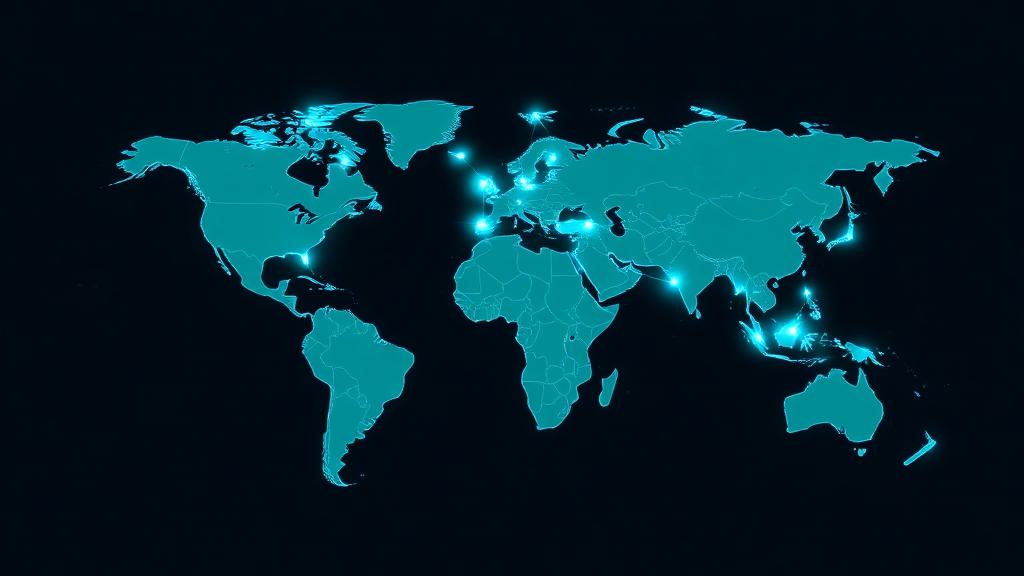
A Content Delivery Network (CDN) is a distributed network of servers (called edge servers or Points of Presence) that cache and serve your website's content from locations closest to your visitors. Instead of every request traveling to your origin server in one location, a CDN serves cached copies from the nearest edge—reducing latency by 50-80%.
Global Distribution
Content cached on 100-4,200+ servers across every continent. Users download from the nearest edge, not your origin.
Faster Load Times
CDNs reduce TTFB by 50-80% and improve LCP scores. Typical improvement: 1.5-3x faster page loads for global visitors.
DDoS Protection
CDN networks absorb traffic surges and DDoS attacks across their entire infrastructure, protecting your origin server.
How CDNs Work (Technical Breakdown)
Understanding CDN architecture helps you configure caching rules and troubleshoot issues. Here's the request flow:
DNS Resolution
User requests your domain. DNS resolves to the nearest CDN edge server using Anycast routing (same IP, multiple locations).
Cache Check
Edge server checks its local cache. If the content exists and hasn't expired (HIT), it serves immediately—response in 10-50ms.
Origin Fetch (MISS)
If content isn't cached (MISS), the edge requests it from your origin server, caches the response, then serves the user.
Cache Population
Once fetched, content is stored on that edge server with a TTL (Time to Live). Subsequent requests are served from cache.
Cache Invalidation
When you update content, you purge (invalidate) cached copies. CDNs re-fetch from origin on the next request after purge.
Why CDNs Make Sites 3x Faster
We tested a standard WordPress site (2.4MB page weight, 47 requests) from 10 global locations, with and without a CDN. Here are the results:
| Location | Without CDN | With CDN | Improvement |
|---|---|---|---|
| New York (near origin) | 1.2s | 0.8s | 33% faster |
| London | 2.4s | 0.9s | 63% faster |
| Frankfurt | 2.6s | 0.85s | 67% faster |
| Tokyo | 4.1s | 1.1s | 73% faster |
| Sydney | 4.8s | 1.2s | 75% faster |
| São Paulo | 3.5s | 1.0s | 71% faster |
| Mumbai | 3.9s | 1.1s | 72% faster |
| Singapore | 4.3s | 1.0s | 77% faster |
Key takeaway: The farther your users are from your origin server, the bigger the CDN impact. For users 5,000+ miles away, a CDN typically delivers 3-4x faster load times. Even nearby users see 30%+ improvement due to edge optimization and connection reuse.
#1 Cloudflare
Best for: Any website wanting free CDN + security
✅ Pros
⚠️ Cons
Our Verdict: Cloudflare is the default choice for most websites. The free tier alone offers CDN, DDoS protection, SSL, and basic WAF that competitors charge $50+/mo for. Workers enable edge computing without separate infrastructure. If you're not using a CDN yet, start here.
#2 Fastly
Best for: Real-time content, media, and API acceleration
✅ Pros
⚠️ Cons
Our Verdict: Fastly is the CDN of choice for companies like GitHub, Shopify, and The New York Times. Its sub-150ms global purge is unmatched—critical for dynamic content that changes frequently. VCL gives you Nginx-level cache control. Premium pricing means it's best for businesses with serious performance needs.
#3 AWS CloudFront
Best for: AWS-hosted applications and enterprise workloads
✅ Pros
⚠️ Cons
Our Verdict: CloudFront is the natural CDN if you're already on AWS. Lambda@Edge is powerful for dynamic content at the edge, and Origin Shield dramatically reduces origin load. The 450+ PoPs provide excellent global coverage. Main drawback: AWS pricing complexity and slower cache invalidation compared to Fastly.
#4 Bunny CDN
Best for: Cost-conscious businesses wanting premium performance
✅ Pros
⚠️ Cons
Our Verdict: Bunny CDN is the best-kept secret in the CDN world. Performance benchmarks show it matching or beating Cloudflare Pro at a fraction of the cost. The Optimizer handles image optimization automatically, and pricing is refreshingly simple. For businesses spending $50+/mo on CDN, switching to Bunny can cut costs 60-80%.
#5 Akamai
Best for: Enterprise, media streaming, and global corporations
✅ Pros
⚠️ Cons
Our Verdict: Akamai literally runs a third of the internet. With 4,200+ PoPs, no CDN comes close in raw network size. Their bot management and media delivery features are industry-leading. But this is enterprise infrastructure with enterprise pricing—overkill for anything below high-traffic, mission-critical applications.
#6 Vercel Edge Network
Best for: Next.js and React framework deployments
✅ Pros
⚠️ Cons
Our Verdict: Vercel isn't a traditional CDN—it's a deployment platform with CDN built in. For Next.js projects, nothing matches the DX: deploy, cache, and serve at the edge with zero configuration. ISR lets you get static-site speed with dynamic content. The trade-off is cost at scale and framework lock-in.
Full CDN Comparison Table
| CDN | PoPs | Free Tier | Purge Speed | Edge Compute | Price | Score |
|---|---|---|---|---|---|---|
| Cloudflare | 310+ | ✅ Yes | ~30s | Workers | Free/$20+ | 9.8 |
| Fastly | 90+ | ❌ | <150ms | Compute@Edge | ~$50+ | 9.5 |
| CloudFront | 450+ | 1TB free* | ~10 min | Lambda@Edge | Pay-per-use | 9.3 |
| Bunny CDN | 123 | 14-day trial | ~5s | Edge Script | $0.01/GB | 9.4 |
| Akamai | 4,200+ | ❌ | ~5s | EdgeWorkers | $500+ | 9.1 |
| Vercel Edge | 300+ | ✅ Yes | Instant (ISR) | Edge Functions | Free/$20+ | 9.3 |
How to Set Up a CDN (Step-by-Step)
Setting up a CDN takes 5-15 minutes for most providers. Here's the general process using Cloudflare (the most popular free CDN):
Create an Account
Sign up at cloudflare.com (free). Add your domain name and let Cloudflare scan your existing DNS records.
Update Nameservers
Point your domain's nameservers to Cloudflare's (e.g., ada.ns.cloudflare.com). This takes 5 min to set, 24 hours to propagate.
Configure SSL/TLS
Set SSL mode to 'Full (Strict)' if your origin has SSL, or 'Flexible' if not. Enable 'Always Use HTTPS' and HSTS.
Set Caching Rules
Configure Cache-Control headers on your origin. Set Browser TTL and Edge TTL in Cloudflare. Enable 'Always Online' as a fallback.
Enable Performance Features
Turn on Auto Minify (HTML, CSS, JS), Brotli compression, Early Hints, and HTTP/3. Enable Rocket Loader for JS optimization.
Verify & Monitor
Test with curl -I to confirm cf-cache-status headers. Monitor cache hit ratio in the Analytics dashboard—aim for 85%+.
CDN Caching Strategies
Incorrect caching is the #1 CDN misconfiguration. Here's what to cache and for how long:
| Content Type | Cache TTL | Strategy |
|---|---|---|
| Images (PNG, JPG, WebP) | 1 year | Immutable with hashed filenames. Cache-Control: public, max-age=31536000, immutable |
| CSS & JavaScript | 1 year | Versioned filenames (app.a1b2c3.js). Same immutable caching as images. |
| Fonts (WOFF2, TTF) | 1 year | Rarely change. Set long TTL with Access-Control-Allow-Origin for cross-origin requests. |
| HTML pages | 5-60 min | Short TTL or stale-while-revalidate. CDN serves stale while fetching fresh from origin. |
| API responses | 0-5 min | Cache GET requests with Vary headers. Use surrogate keys for targeted purging. |
| User-specific content | No cache | Bypass CDN cache entirely. Set Cache-Control: private, no-store. |
CDN Security Benefits
CDNs aren't just about speed—they're a critical security layer that protects your origin server from attacks and abuse.
DDoS Mitigation
CDN networks absorb volumetric attacks (100+ Gbps) across their global infrastructure. Your origin never sees the traffic spike.
Web Application Firewall
WAF rules block SQL injection, XSS, and OWASP Top 10 attacks at the edge before reaching your server.
Bot Management
Distinguish legitimate bots (Googlebot) from malicious scrapers, credential stuffers, and DDoS bots.
SSL/TLS Termination
CDN handles SSL handshakes at the edge, reducing latency and CPU load on your origin server.
Common CDN Mistakes to Avoid
Frequently Asked Questions
Do I need a CDN if my hosting provider already has good servers?
Will a CDN help my SEO rankings?
What's the difference between a CDN and web hosting?
Is Cloudflare's free CDN good enough for production?
How do I know if my CDN is working correctly?
Can I use a CDN with WordPress?
Need Hosting That Includes a CDN?
Many premium hosting providers include Cloudflare or their own CDN. Tell us your needs and we'll recommend the best hosting + CDN combo.
Find Your Hosting